
Ecommerce product catalogs
Turn camera roll names into SKU-style filenames before uploading to Shopify, Amazon, or internal PIM systems.
bulkimage.io batch editor
Set prefix, suffix, and index rules once, then rename every file in the batch. Preview before/after filenames before you download.
No signup required. Renames filenames only — image pixels are unchanged. Supports JPG, PNG, WebP, GIF, and BMP.
Drop images to start
JPG, PNG, WebP, GIF, or BMP — select as many as you need.
Product shoots, client galleries, and CMS imports often arrive with camera filenames like IMG_4521.jpg. Renaming hundreds of files by hand is slow and error-prone. bulkimage.io applies one naming rule across the full queue — prefix, suffix, sequential index, optional date stamp, or dimensions — in a single pass.
Unlike desktop batch renamers, bulkimage.io lives inside the full batch editor. Rename first, then chain compress, crop, resize, or watermark without re-uploading the same folder.
Turn messy camera exports into consistent filenames in four guided steps.
Drag in a folder or select multiple photos. Files load into the editor queue, ready for bulk rename.
Choose prefix and suffix text, enable sequential numbering with zero-padding, and optionally add date or dimension tokens.
Inspect the first files in the queue so you can catch typos or index gaps before applying the rule to the full batch.
Export renamed files individually or continue in the editor to compress, crop, resize, or watermark before delivery.
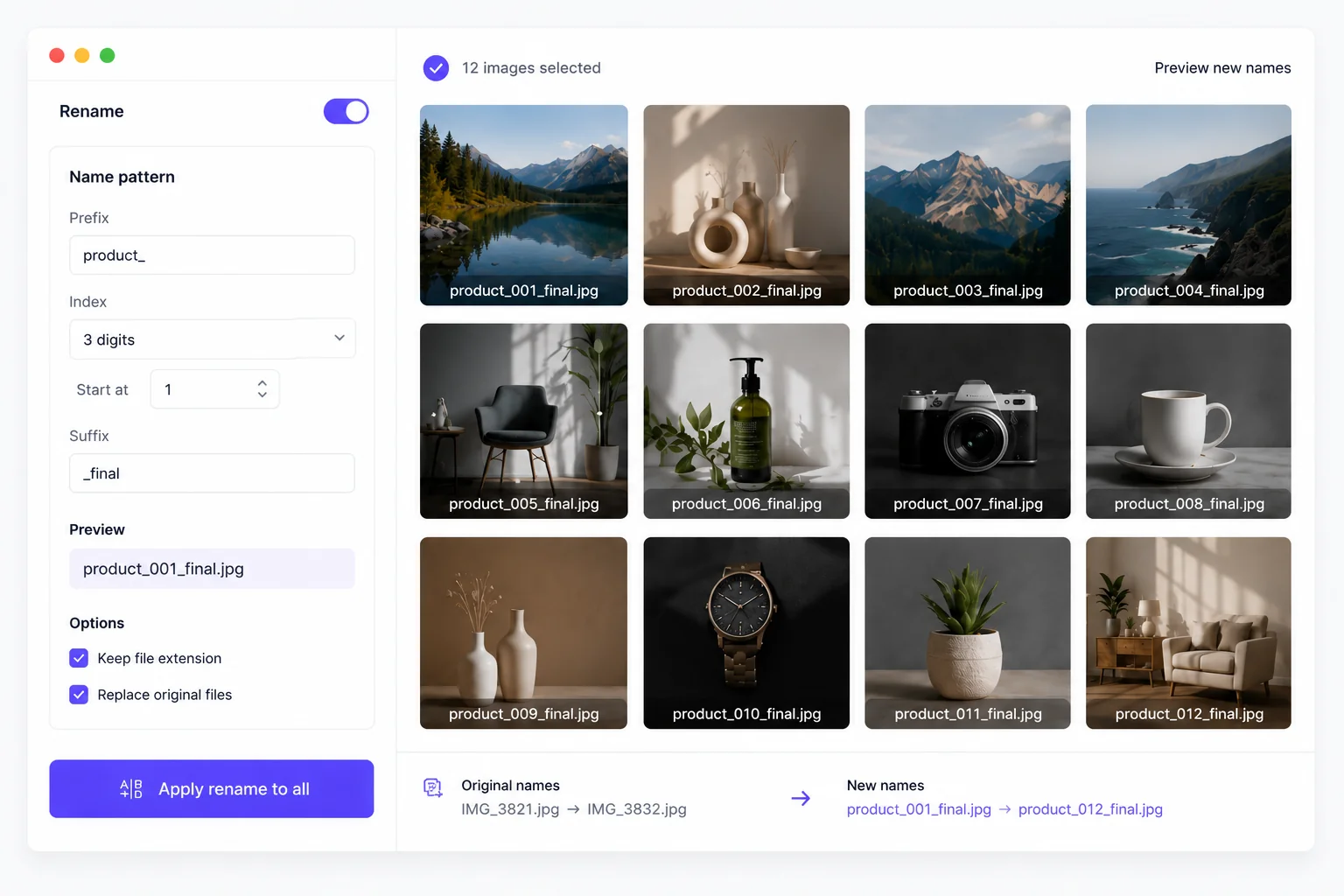
bulkimage.io batch editor
Skip manual Finder or Explorer renames. bulkimage.io groups prefix, suffix, index, date, and dimension tokens in one panel so marketing, ecommerce, and studio teams can standardize exports in minutes.
Check the first items in the queue to confirm spacing, separators, and index width look right across the set.
Combine a product prefix with padded indices so marketplace and PIM imports receive predictable, sortable filenames.
Rename in the same session as compress, crop, resize, watermark, or filters — no need to re-upload between steps.
Bulk Image Rename
Teams that ship large image folders use bulk rename to keep assets searchable and import-ready.
Turn camera roll names into SKU-style filenames before uploading to Shopify, Amazon, or internal PIM systems.
Label proof galleries and delivery folders with client codes and sequential numbers before handoff.
Normalize filenames before bulk import into WordPress, Sanity, or asset libraries that expect consistent slugs.
Apply campaign or client prefixes across hundreds of creative exports so reviewers can sort assets quickly.
Small naming choices make big differences when folders grow into the hundreds.
Keep prefixes short and alphanumeric so filenames stay valid on every OS and marketplace importer.
Rename early when filenames drive your workflow; rename last when exports need a final _web or _final suffix after compression.
After renaming, switch tools in the same editor to slim files for web or fit platform size rules without starting over.
When you need consistent filenames across dozens or hundreds of photos, bulkimage.io keeps the rule set simple, previewable, and local.
No upload queue — rename rules apply in the browser so you can move through large folders quickly.
The same prefix, suffix, and index pattern applies to every file so naming stays predictable end to end.
Append capture date or WxH dimensions when filenames need extra context without opening each image.
Whether you are preparing a product catalog, client gallery, or CMS import, bulkimage.io Bulk Image Rename gets batch naming done in a few clicks.
Go back to the bulkimage.io homepage to compare all batch image editing tools, browse workflow guides, and choose the best next step for your folder.
bulkimage.io
Apply one naming rule across hundreds of image files in a single workflow. Preview results and export locally in your browser.