Discord chats and animated emoji
Chat attachments and animated emoji have different size limits. For Discord-specific targets and upload advice, use the dedicated Discord GIF page; stickers require APNG, not GIF.
Free batch GIF compressor
Add one GIF or a whole folder and compress them together, by quality or to an exact size such as under 20 MB for Discord or 128 KB for a Slack emoji. Frame timing, looping and transparency are preserved, and nothing is uploaded.
The GIF compressor runs entirely in your browser. Download each GIF on its own or the whole batch as a ZIP.
A GIF stores every frame with a palette of up to 256 colors, so long or detailed animations get heavy fast. GIF compression rebuilds the file with fewer colors, stores only the pixels that change between frames, and reduces its dimensions if needed. A good GIF compressor does all this without touching the motion: the animation plays at the same speed and loops the same way, at a fraction of the size.
GIF Compressor
Most people compress a GIF because an upload was rejected or a page loads slowly. Start from the destination’s limit.
Chat attachments and animated emoji have different size limits. For Discord-specific targets and upload advice, use the dedicated Discord GIF page; stickers require APNG, not GIF.
Custom Slack emoji must be 128 KB or less. Animated reactions usually need both fewer colors and smaller dimensions to fit.
A 20 MB screen recording clogs inboxes. Compress it to a few megabytes so it attaches, forwards, and opens quickly.
Tutorial and product demo GIFs are often far larger than their display size needs. Smaller files load faster and help page speed.
Everything happens on this page; nothing is uploaded to a server.
Drop one animated GIF or a whole folder of them. Each file gets its own live preview.
Drag the quality slider, or switch to target file size and enter a limit such as 19 MB for Discord. The same setting applies to every GIF in the batch.
Drag the divider to compare the original and compressed GIF side by side, playing in sync. Then download each GIF or the whole batch as a ZIP.
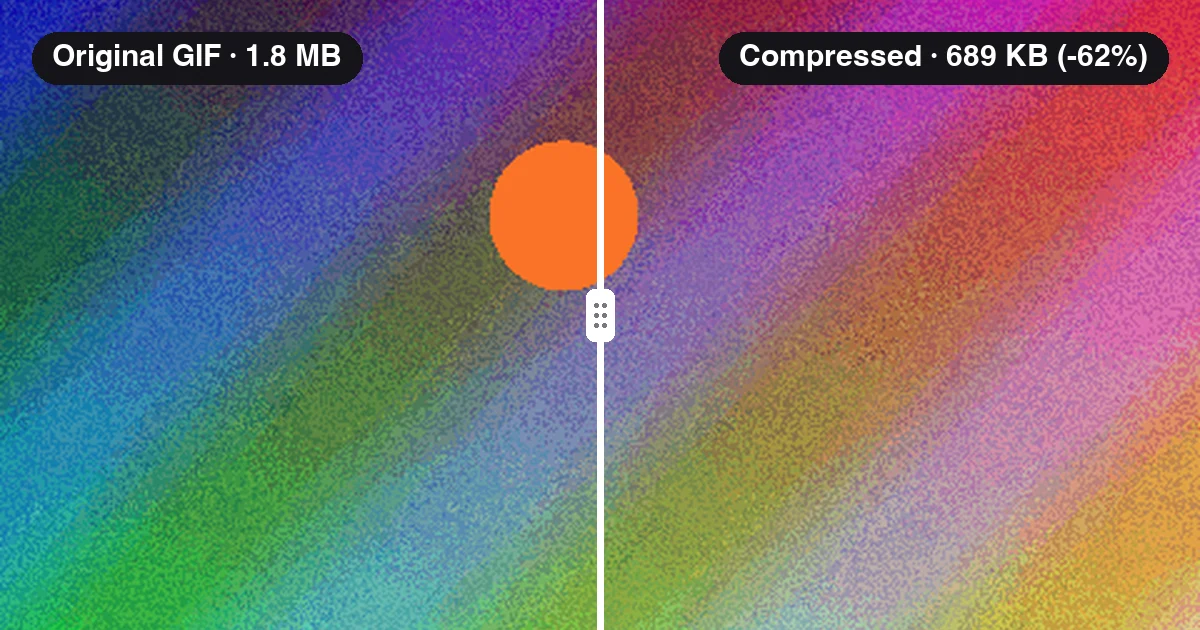
This demo runs a real 480×320, 24-frame GIF through the GIF compressor. At quality 82 it drops from 1.8 MB to 689 KB, 62% smaller, with the same timing and loop. Drag the divider to compare.
Enter a limit in KB and the compressor searches for the highest quality that fits, scaling down only when fewer colors are not enough.
Frame delays and the loop count are copied from the original, so the compressed GIF plays at the same speed and repeats the same way.
GIFs with transparent areas stay transparent, which matters for stickers, emoji, and overlays.
Both versions play from the same clock, so you see the exact same frame on either side of the divider.
Apply one setting to dozens of GIFs and download them together as a ZIP.
Decoding and encoding run in your browser. Your GIFs are never uploaded, so it is safe for unreleased work and internal material.
Free batch GIF compressor
This demo runs a real 480×320, 24-frame GIF through the GIF compressor. At quality 82 it drops from 1.8 MB to 689 KB, 62% smaller, with the same timing and loop. Drag the divider to compare.
All 24 frames keep their original 80 ms delay, so the animation lasts exactly 1.92 seconds in both versions.
The palette is rebuilt per frame and unchanged pixels are skipped, which is where most of the savings come from.
Need it under 500 KB? Switch to target file size and the compressor handles the trade-offs for you.
Set the target a little below the hard limit so the upload never fails. Platforms change their limits, so check the platform itself if a file is borderline.
| Where the GIF goes | Limit | Suggested target |
|---|---|---|
| Discord message (free) | 20 MB per file | 19 MB |
| Discord message (Nitro Basic) | 50 MB per file | 48 MB |
| Discord custom emoji | 256 KB, 128×128 recommended | 240 KB |
| Slack custom emoji | 128 KB, 128×128 | 120 KB |
| X (Twitter) post | 15 MB on web, lower on some mobile apps | 5 MB for fast loading |
| Gmail attachment | 25 MB per email | 20 MB or less |
| Tumblr post | 10 MB per GIF | 9.5 MB |
Pick quality when you want to judge the look yourself. Pick target file size when a platform limit decides for you.
| Mode | Best for | Notes |
|---|---|---|
| Set quality | Web pages, docs, and chats with no strict limit, where you want the best-looking result at a smaller size. | Quality 45–100 maps to 32–256 colors. Lower values also skip tiny pixel changes between frames, which shrinks GIFs with static backgrounds the most. |
| Target file size | Discord, Slack emoji, email, and any upload form with a hard size cap. | The compressor lowers colors first, then scales dimensions down (to 25% at most) only if the GIF still does not fit. It keeps the highest quality that fits. |
A few habits that make the biggest difference to file size.
Target 19 MB for a 20 MB limit, or 240 KB for a 256 KB emoji. Some platforms count size slightly differently, and a small margin avoids a failed upload.
Emoji are shown at a few dozen pixels, chat previews at a few hundred. If a GIF is much larger than its display size, target-size mode will scale it down; starting smaller leaves more room for quality.
Screen recordings, UI demos, and cartoons with flat colors shrink far more than camera footage with grain and gradients.
Play the compressed GIF through at least once in the preview. Fast motion and small text are where lower quality shows first.
Go back to the bulkimage.io homepage to compare all batch image editing tools, browse workflow guides, and choose the best next step for your folder.
bulkimage.io
A free, private GIF compressor ready for Discord, Slack, email, and the web.